“Learnosity powers the assessment experience for many of the world’s leading education and certification providers, and we’re proud they chose Talview to grow their proctoring offering,” said Sanjoe Jose, CEO and Founder of Talview. “This partnership brings our two teams together around a shared goal: making secure, reliable assessment simple for every provider. We’re excited to scale this together.”
Questionmark, Learnosity’s out-of-the-box assessment solution, has recently partnered with proctoring experts, Talview. The new partnership perfectly balances test integrity with flexibility by allowing candidates to skip the test center and take remotely proctored exams from home, all booked and launched from the Questionmark online assessment platform.
Benefits for candidates
- Flexible test-taking: Skip the trip to the test center and sit your exam from home.
- Exams that fit your schedule: Pick an appointment slot that suits you within the exam’s booking window, and prepare at your own pace.
- Stress-free management: Book and launch your exam all within the Questionmark platform.
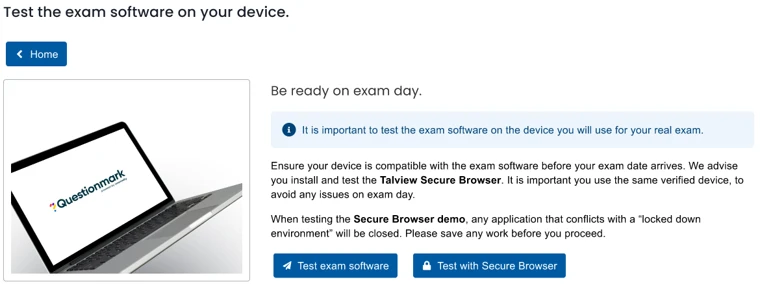
- Test your tech before the big day: A practice session lets you test your device and run the onboarding flow beforehand, with emails guiding you from booking through to exam day.
Benefits for Questionmark customers
- Confidence in exam security: Talview monitors the session in the background, with onboarding that includes photo ID verification, camera and microphone checks, and a 360° environment scan before the exam starts.
- Evidence when you need it: You can access the proctor’s notes and session recording to support your decision on when another attempt may be given.
FAQ
Candidates book an appointment, complete a practice session, then launch their assessment from Questionmark on exam day. Talview then monitors the exam in the background.
No. The Talview + Questionmark integration enables candidates to book, prepare and take their exam from home, all launched from the Questionmark assessment platform.
Talview onboarding covers privacy consent, camera and microphone permissions, screen sharing, a secondary device connection (if configured), a 360° environment scan and photo ID verification.
Yes. Candidates should complete the “Test exam software” practice session before exam day. It lets them check their device and experience the onboarding process in advance, which makes technical problems significantly less likely on the day.
The proctor ends the session and the candidate is recorded as terminated. The organization running the exam can then decide whether to allow another attempt.